

Optimize This
The Output Report does not just name your constraint. Optimize This hands the finding straight to PM Optimizer as a ready-made experiment, already pointed at the problem, so the road from “here is what is holding you back” to “here is the best fix” is one click long.
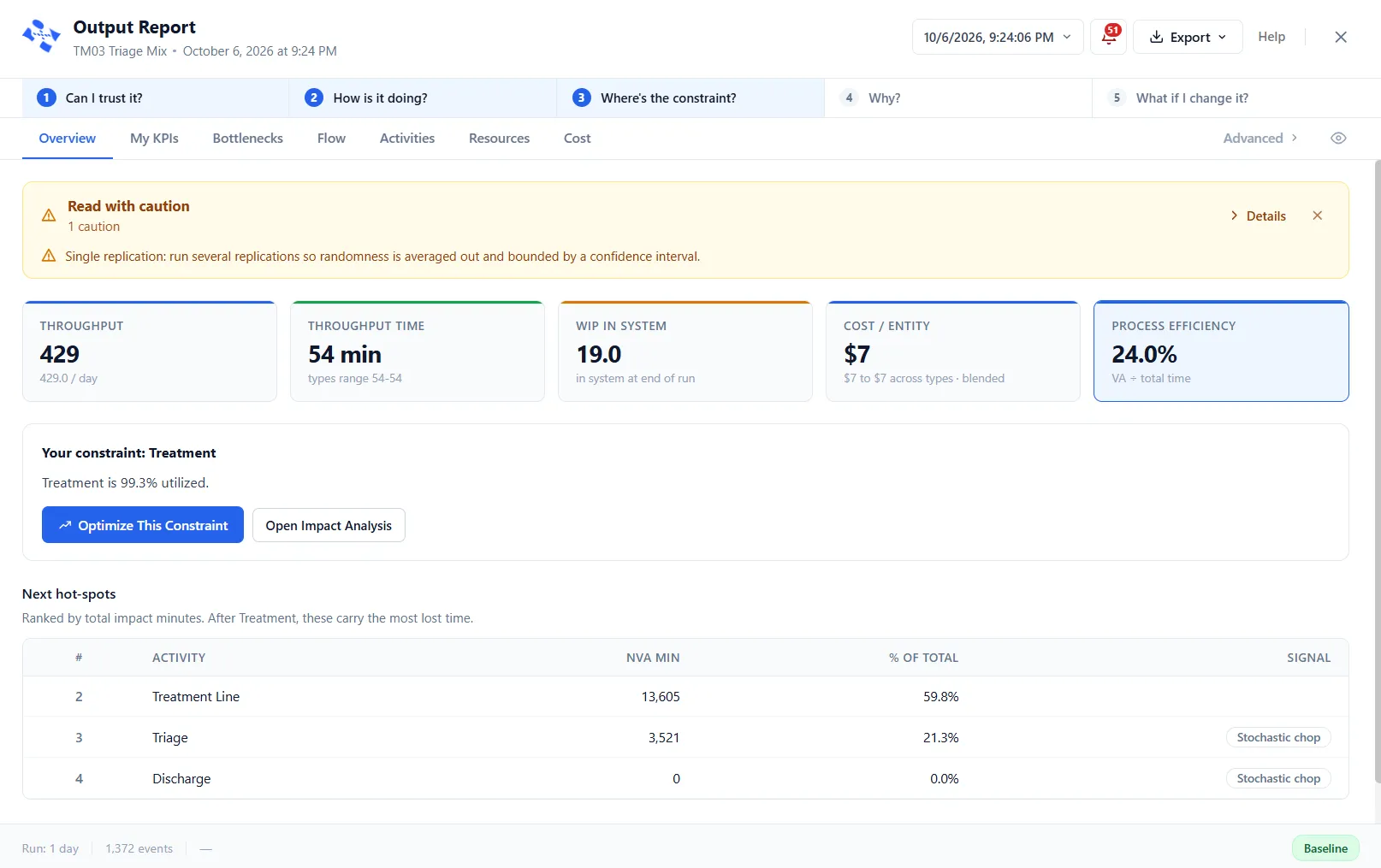
Three ways in
Section titled “Three ways in”- The Overview’s Your constraint block: Optimize This Constraint.
- The Bottlenecks tab’s top wait point: Optimize This Wait Point.
- The rows of the report’s Experiments tab, one per suggested study.
Each starts from a different finding, and the experiment it builds is shaped by that finding.
What each way in seeds
Section titled “What each way in seeds”- Optimize This Constraint, on the Overview, seeds the constraint plus the next hot-spots, with goals weighted by lost time and the finding you clicked weighted highest.
- Optimize This Wait Point and a row of the Experiments tab each seed their own wait plus Throughput, which keeps its floor so the fix cannot win by doing less work.
It picks the levers for you
Section titled “It picks the levers for you”The finding runs through a diagnosis first, built on the run’s own evidence: how hard the step and its resources worked, whether it was blocked, how full its queue ran, and when the pile-ups happened. The diagnosed cause picks the levers. A step starved of staff gets the resource’s quantity, coupled with the capacity that would bind the extra hands. Mistimed coverage gets shift patterns to compare. An extra server rides along as an alternative where one could plausibly help.
Two things are never touched: your times and your arrivals. How long the work takes and when demand shows up are facts you declared about the process. The experiment changes how the work is handled, not the work itself.
An unsaved draft, measured against today
Section titled “An unsaved draft, measured against today”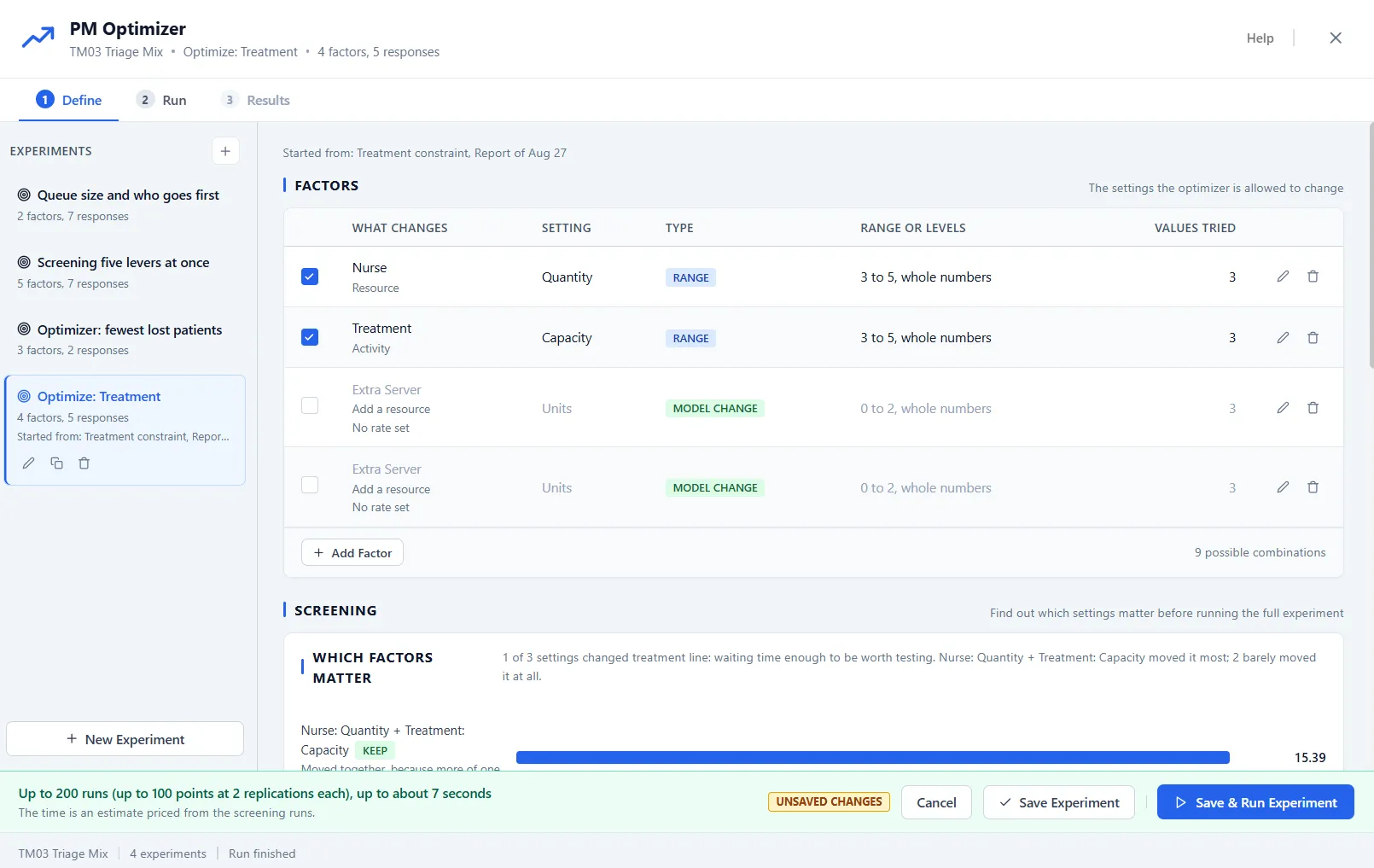
The experiment arrives on Define as an unsaved draft, with a Started from caption naming the finding and the report it came from. It is yours to edit like any experiment: add or remove factors, change the responses, tighten a range. Cancel discards it without a trace; Save Experiment keeps it with the model.
Before anything is searched, today’s configuration is run a few times to measure your current output honestly. That measurement becomes a limit: a floor under throughput, so a configuration that eases the wait by quietly doing less work can never win.
Screened, then searched
Section titled “Screened, then searched”The screening probes run on their own as the draft arrives, and factors that barely move the result are unticked for you, nothing deleted. The design is set to the Smart Optimizer with its automatic replications, and the footer prices the run from the screening it just watched. Review it, adjust what you like, and press Save & Run Experiment. From there it is an ordinary experiment: a live run, a ranked result, and a winner you can save as a scenario.
Starting from a scenario
Section titled “Starting from a scenario”When the report is reading a scenario rather than the Baseline, Optimize This starts from that scenario, not from the model as you drew it. The Started from caption says so, for example “Started from: Triage bottleneck from scenario More Nurses, Report of Aug 26”. Every point, and the Baseline row, layers the scenario’s changes under its own factor changes, including any care models it switches and anything it removes. Where a factor changes a setting the scenario also changes, the factor’s value wins for that point. The experiment keeps the scenario as it was when the experiment was made, so editing the scenario later does not change what a saved experiment means. Save as Scenario goes gray, with the reason, if the scenario has changed, been deleted or been renamed.
When Optimize This is not available
Section titled “When Optimize This is not available”On the sample-data report, which holds canned figures, Optimize This is hidden. It is gray, and says why, while an experiment is running (“An experiment is running. Wait for it to finish before starting another.”) and while a process group has Run on Separate FEL turned on. Only one engine run goes at a time: while an experiment runs, Simulate refuses with “An experiment is running. Stop it in the PM Optimizer before simulating.”, and while a simulation runs, Run Experiment waits. The footer on Define says which.