

The Action Logic Builder
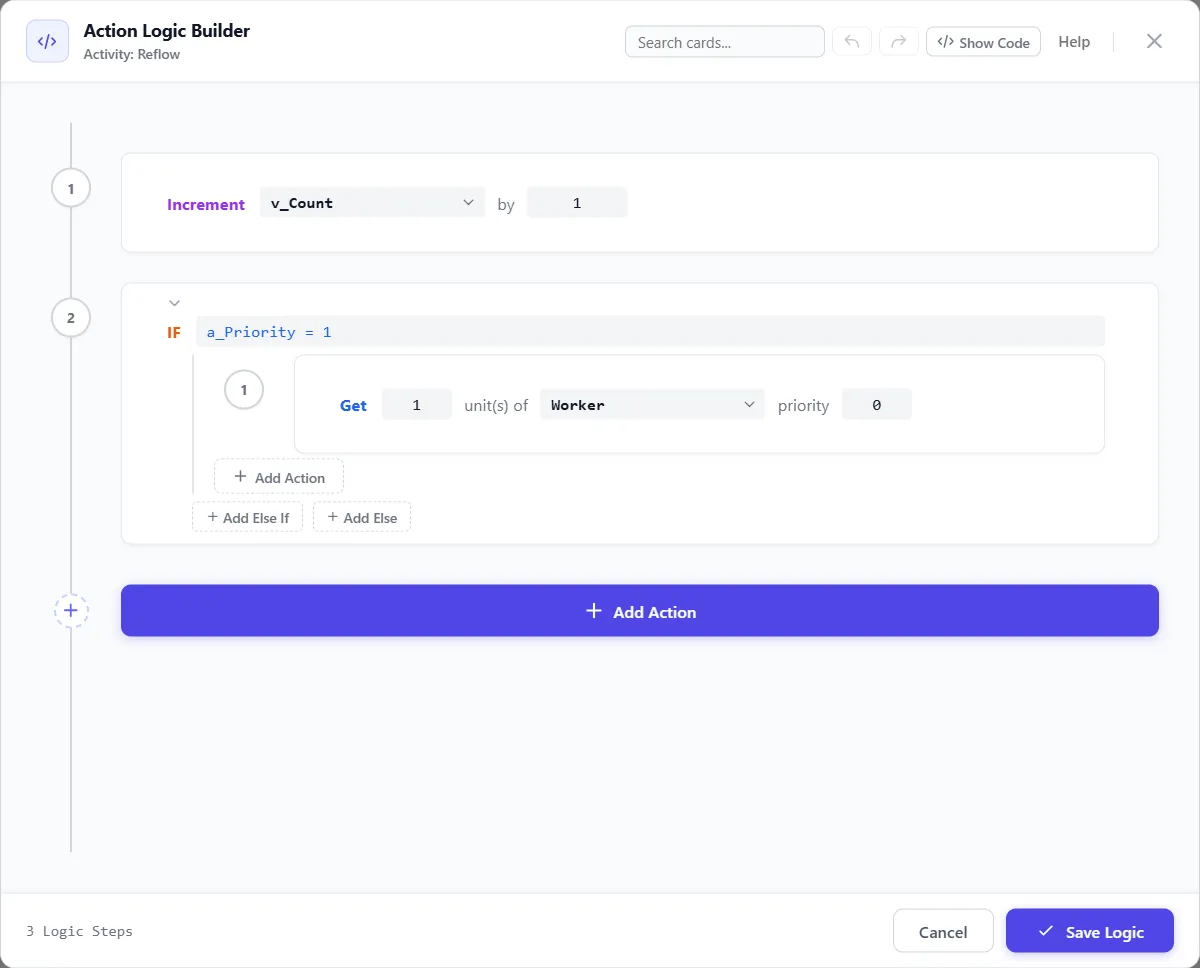
The Action Logic Builder is where you write the logic for a step as visual cards. Open it from a node’s Logic tab: the inline editor gives you two ways in, Compose for the card builder and Open Editor for the full code editor. Both produce the same logic, and you can switch between them.
Building with cards
Section titled “Building with cards”The card builder lays your logic out as a list of steps. Click Add Action to pick from a searchable, categorized menu, grouped by variables, attributes, resources, time, control flow, entities, and system actions, then fill in each card’s fields. Ready-made templates sit at the top of the menu for common shapes such as get a resource, process for a time, then release. Container cards such as If and While hold other cards inside them, and you can drag cards to reorder, duplicate, or disable them. The Send Entity card creates an entity elsewhere in the model and takes a quantity, so one card can dispatch several at once (see Send).
Moving between cards and code
Section titled “Moving between cards and code”A Show Code toggle displays the generated code beside the cards. The code is the single source of truth: the cards are a view of it, so anything written in code opens correctly as cards and the other way round. For the full writing surface, with suggestions, checking as you type, and inserts for distributions and process tables, open the code editor.
Working in the builder
Section titled “Working in the builder”The toolbar and the keyboard help you move through a long list of cards:
- Search cards dims every card that does not match what you type, by the kind of card or any text in it. The X in the box clears it.
- Undo and Redo step back and forward through your changes, with Ctrl+Z and Ctrl+Y (or Ctrl+Shift+Z). The foot of the window counts the undo steps.
- Click a card to select it. Ctrl+D duplicates it, and Delete removes it. A card that holds other cards asks “Delete this container and all its children?” first. With the cursor outside a box, the Up and Down arrows move the selection from card to card.
- Esc closes the Add Action menu, then clears the selection, then closes the builder.
- Enter, with no card selected and the cursor outside a box, saves and closes, as Save Logic does.
- Show Code opens the generated code beside the cards. It is read only, and its Copy button puts the code on the clipboard.
The foot of the window counts the steps, such as “3 Logic Steps”, and any warnings.
Saving and closing
Section titled “Saving and closing”Save Logic keeps the cards as the logic of the step and closes the builder. With changes not saved, Cancel, the X and Esc ask first, naming the step.
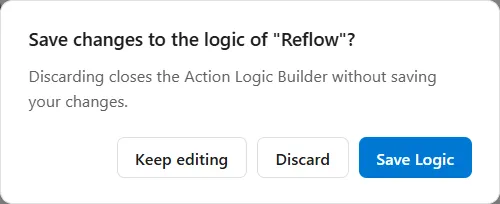
Save Logic saves, Discard closes without saving, and Keep editing goes back to the cards. With nothing unsaved they close at once.