

PM Optimizer
PM Optimizer turns the simulator from a tool that tests one idea into a tool that finds the answer. You set up an experiment that varies chosen settings in your model, measures the effect on the results you care about, and searches for the configuration that works best.
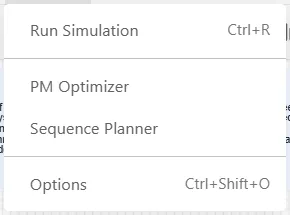
Open PM Optimizer
Section titled “Open PM Optimizer”Open it from the Simulate menu, alongside Run Simulation and Options, or from the toolbar button just after Simulate. It opens in its own window over your model. Close it with the X in the corner, and your model is left exactly as it was.
The window carries a Help button in its header, and each step and picker has its own, so the article for the screen you are on is always one click away.
Define, run, results
Section titled “Define, run, results”The window works from left to right in three steps, shown as numbered tabs across the top.
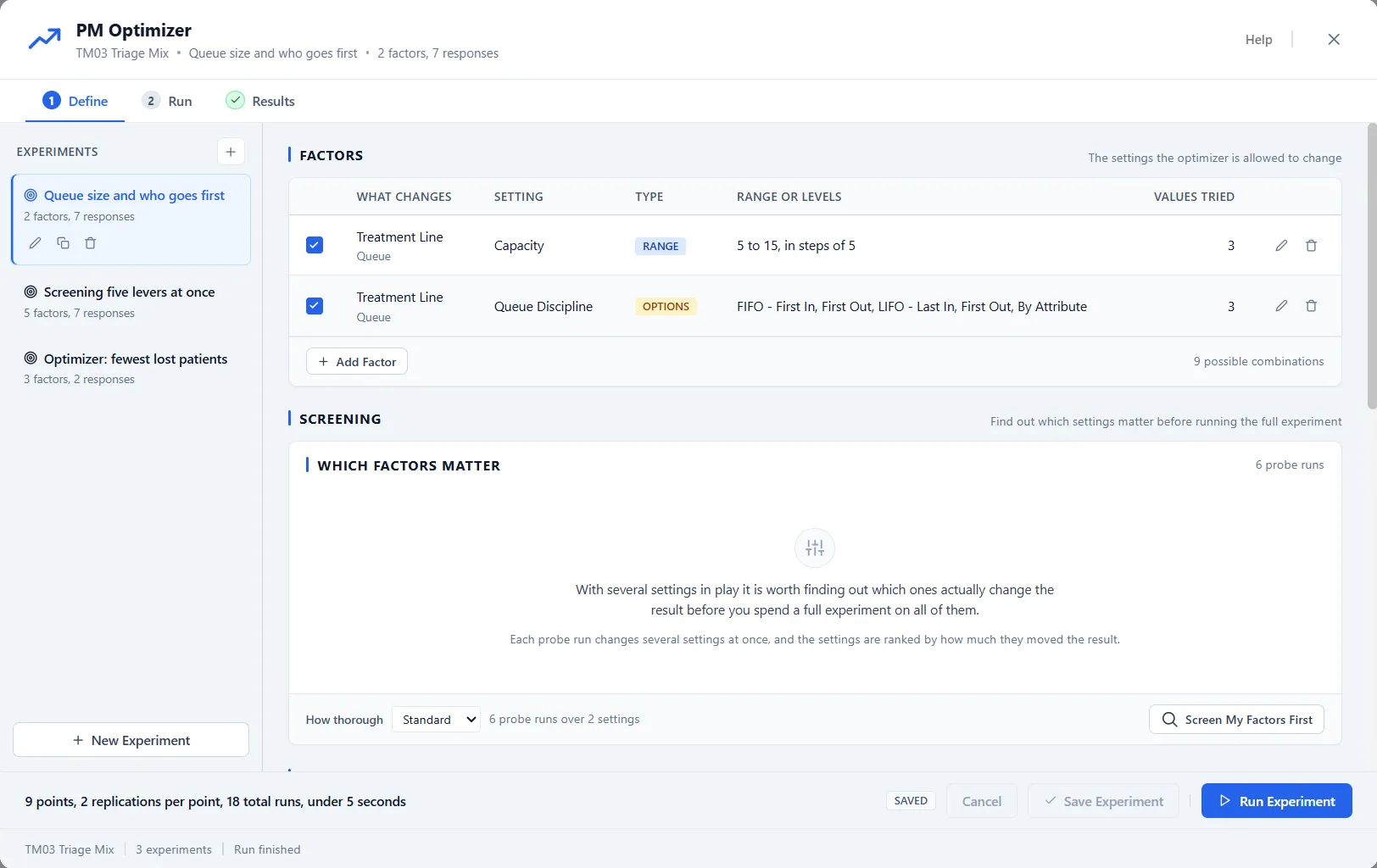
- Define: name the experiment, pick the settings to vary (factors), pick what to measure (responses), and choose how to explore the combinations (the design).
- Run: watch progress live, with a best-so-far chart and a stop button if you change your mind.
- Results: read the ranked configurations, see which factor mattered most, and save the winner as a scenario.
What an experiment is
Section titled “What an experiment is”A scenario is one hand-built what-if: what if I add a second nurse? An experiment is a whole family of runs that varies your chosen settings in a systematic way, so you can see not just whether a change helps, but which changes matter, how they interact, and what combination is best.
Every experiment is built from three things:
- Factors: the settings you allow to change, each with a range or a set of values to try.
- Responses: the outputs you want to measure, such as throughput, time in system, or cost.
- A design: how the combinations are chosen and explored, from every combination to a guided search.
You can save more than one experiment with a model, each with its own factors and responses. They are stored with the model and are there again the next time you open it.
Results are saved with the model
Section titled “Results are saved with the model”Experiments and their finished runs are part of the model file. The last completed run is saved with the model, so when you reopen the model later, PM Optimizer opens straight on the Results step with the ranked table waiting. The Run tab gives a past-tense account of that run: what ran, when, how long it took, and the best value it found.
Nothing an experiment does changes your model or your saved output. When you find a configuration worth keeping, Save as Scenario on its row copies it into your model as an ordinary scenario, enabled and ready to run.
While your AI works
Section titled “While your AI works”With PM Optimizer open while your own AI works on the model through PM AI Bridge, the window holds anything that would write to the model. Duplicate and Delete on an experiment go dim, and so do Save Experiment and Save & Run Experiment when you have unsaved changes. Save as Scenario is gray, with the note “Read only while your AI is working. Take control to edit.” You can still edit the experiment in the window.