

Smart Optimizer
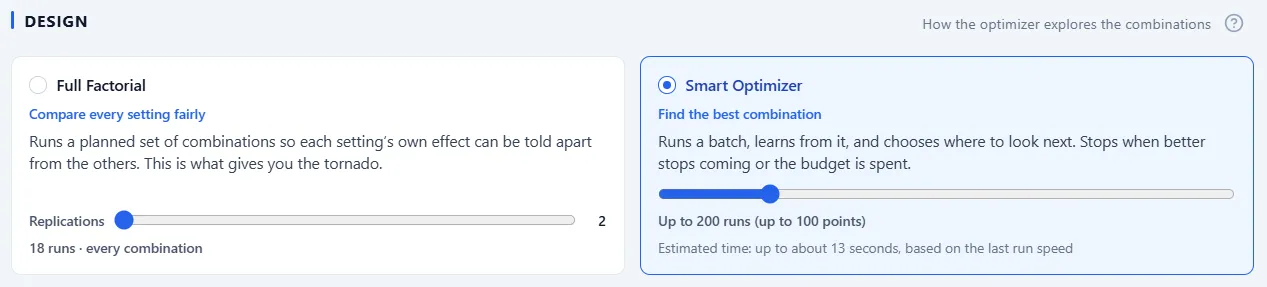
When your aim is simply to find the best configuration, use the Smart Optimizer design, the default. Instead of running a fixed set of points, it searches: it runs a batch, learns from it, and chooses where to look next, so it can find a strong configuration in far fewer runs than trying everything.
How it searches
Section titled “How it searches”The Smart Optimizer picks its method itself to fit your experiment, so there is nothing to configure: it spreads its first batch across the whole factor space, then works the areas that look best, a batch at a time. Factors with steps are tried on their exact values, and smooth ranges are explored as they are, so it handles the factors the grid designs cannot.
Budget and stopping
Section titled “Budget and stopping”The search always runs against a budget you set on its card, in number of runs, from 20 to 1,000 with a default of 200. It stops when the budget is spent, or earlier when better results stop coming, so you are never left watching a search that has nothing more to find. The Run step’s progress bar shows how much of the budget is used as it goes.
The right replications, automatically
Section titled “The right replications, automatically”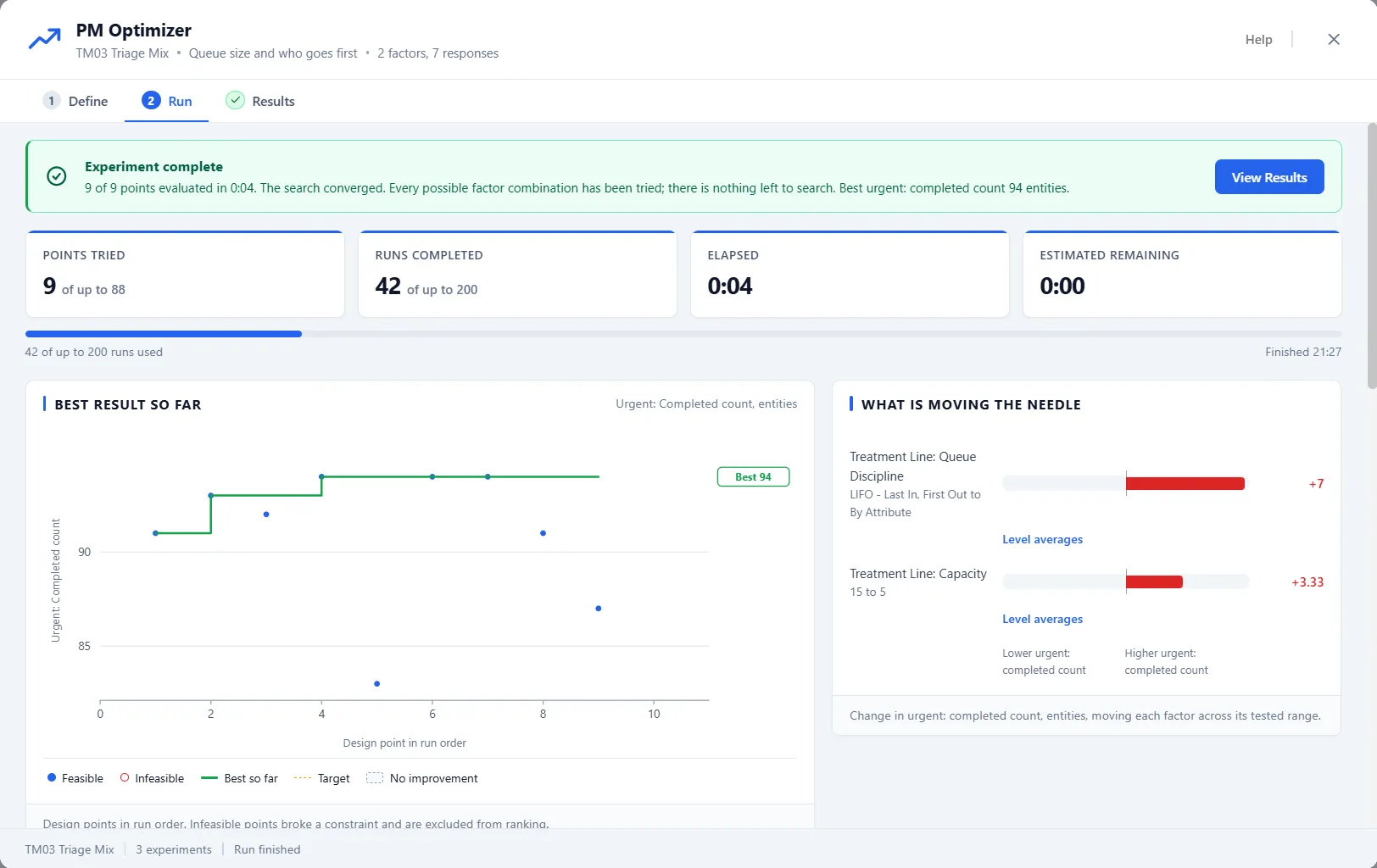
Because a stochastic model gives a slightly different answer each run, the Smart Optimizer splits its spending in two, on its own. Every configuration first gets a quick pass, enough to place it. Then the leaders earn extra replications, re-run together as a group until the group stops changing, so the precision lands where the decision is. Configurations that are clearly out of contention are cut short rather than run to the bitter end, and the Results table’s Status column accounts for every one.
More than one goal
Section titled “More than one goal”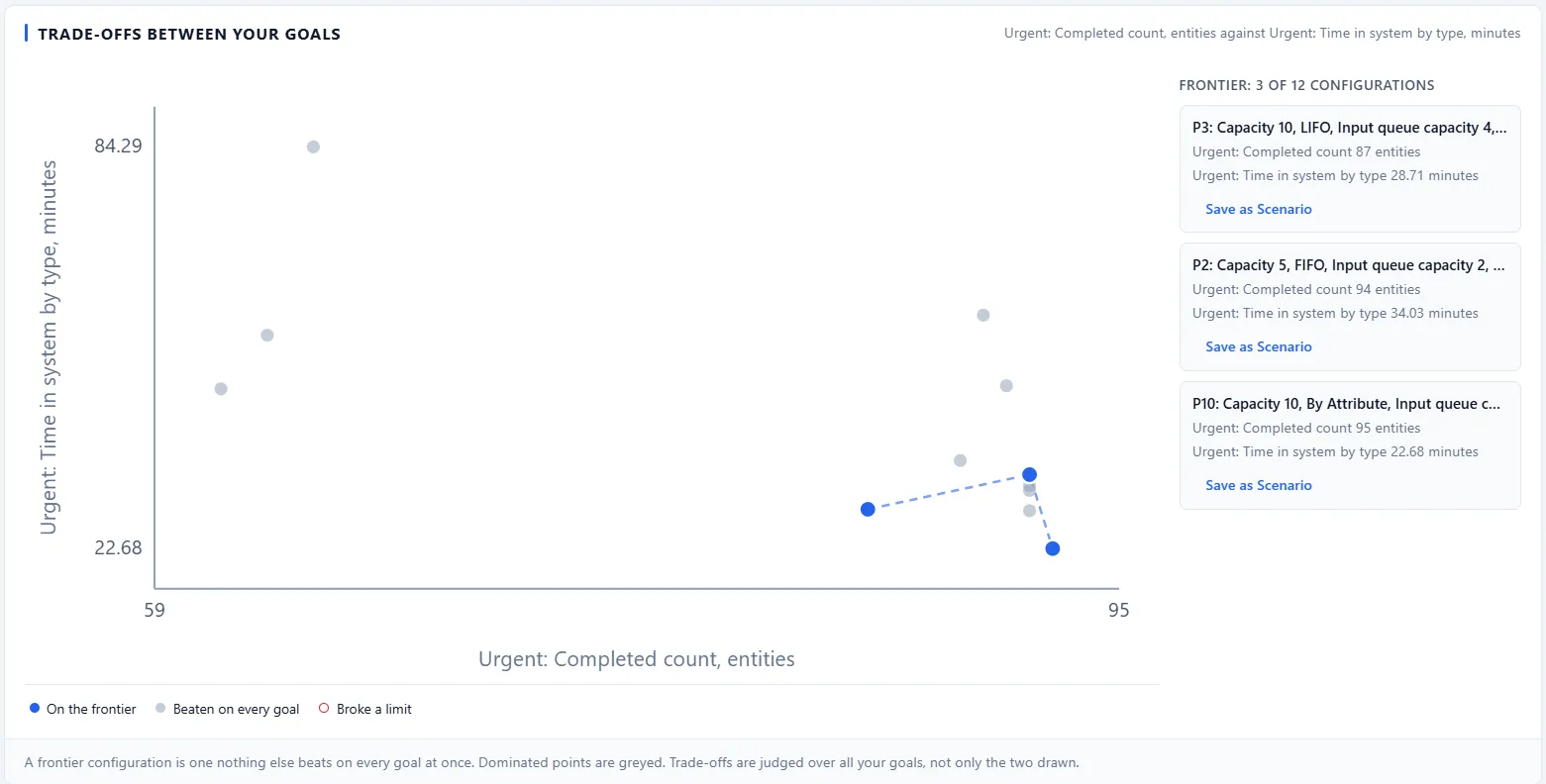
When you care about more than one result, some configurations trade one goal against another: more throughput, but a longer wait. The trade-off view plots them and highlights the frontier, the configurations that nothing else beats on every goal at once. Points that are beaten on all goals are grayed out. Pick any frontier configuration and Save as Scenario to keep it. The frontier is judged over all your goals, not only the two drawn on the chart.