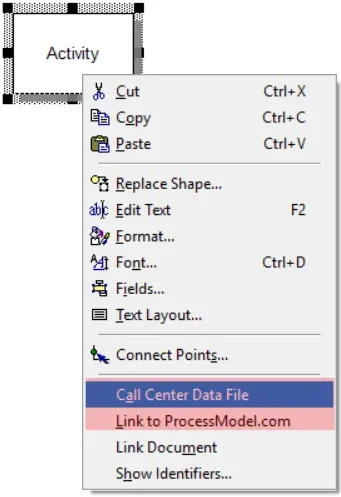
Link Document
Attaching an external document to a model is no longer part of ProcessModel. The original help is kept below for reference.
LegacyHow this worked in the previous version
Links are connections used to join other charts or files like word processing documents or spreadsheets. Links are useful for attaching information without adding an object that will show up on the output report.
How can I Link a Document?
Section titled “How can I Link a Document?”- Right-click on the object in the model where a file needs to be attached. Add a link to any object type.
- Click Link Document.
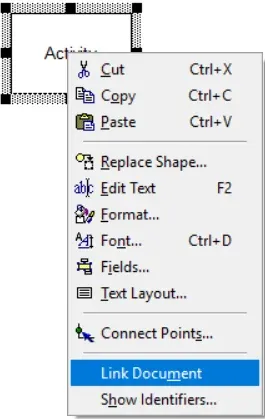
- Add any file or a web link, and click OK to save.
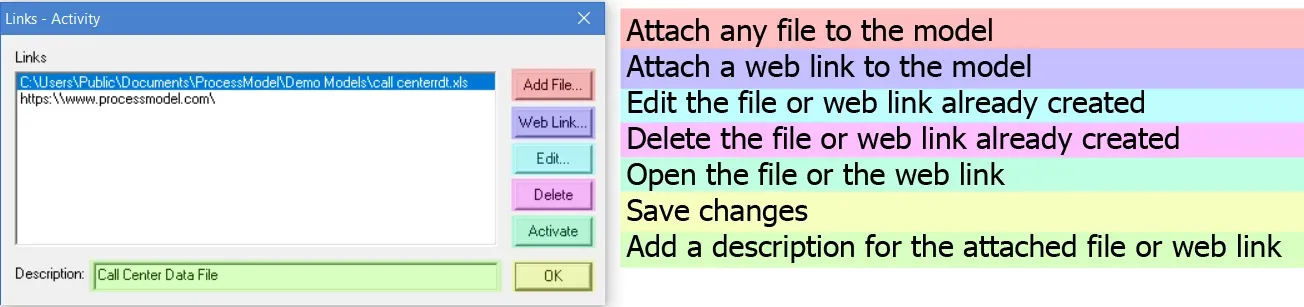
-
You may additionally add a description to the file or the web link under Description. The description shows in place of the file name.
-
Once the link is established in the model, the shape will have a shadowed background.
-
To open the linked file right-click on the same object, and click the file name, or web link to open.