

Entity Cost
An entity’s Cost tab carries two rates: what a unit is worth the moment it is created, and what an hour of its waiting costs you.
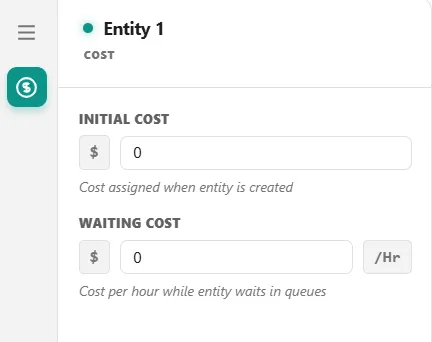
Initial Cost
Section titled “Initial Cost”Initial Cost is the value stamped on every entity of this type as it is created. It is not a charge added to a running tally, it is the opening balance: the entity starts life carrying this figure, and every later charge is added on top of it.
Use it for the raw material value of a part, the face value of an order, or the cost of acquiring a customer. Leave it at 0 when an entity has no value of its own and you only care what the process does to it.
Initial Cost lands in the entity’s total and in none of the value classifications, so a model with a large initial cost shows a total larger than its value-added, non-value-added, and required non-value-added figures added together. See Costs in a model for why.
Waiting Cost
Section titled “Waiting Cost”Waiting Cost is a per-hour rate charged for the time an entity spends waiting rather than being worked on. ProcessModel applies it at the end of each wait, pro rata, so a 15 minute wait at 20 per hour costs 5.
Waiting is charged wherever it happens, not just in a Queue node:
- waiting in a queue, or in an activity’s input queue
- waiting to acquire a resource
- held at a gate, or reneging away from one
- waiting for a batch to form, or for an attachment
- suspended by a
WAIT UNTILstatement, or preempted off a resource - traveling along a route
That last one surprises people: time in transit is billed at the waiting rate, so a model with long move times will show waiting cost even where nothing is queuing.
There are two deliberate exceptions. An entity blocked at an activity’s output, and an entity parked because the next step’s capacity is full, do not accrue Waiting Cost. Those are counted as blockage rather than waiting.
Every Waiting Cost charge is classified as non-value-added, whatever the element the entity is waiting at is set to.
Cost follows the parts
Section titled “Cost follows the parts”When entities are joined to a carrier, loaded onto one, or split back out of a batch or a carrier, cost moves with them, so every dollar is counted once.
- Joining. A part that joins another entity, on an attach route or a pickup, brings the cost it has built up into the entity it joins, the carrier. It does so whether the part is consumed by the join or kept loaded.
- Splitting. At an Unbatch, each member takes an equal share of the batch’s cost, and the batch container is left at 0. At a detach route, each child that detaches takes its share of the cost its carrier is holding, one equal share for every child the carrier carries, and the carrier gives that amount up.
- Leaving. When a carrier exits with parts still loaded, the parts leave with it and are counted as Absorbed. The cost they carried is already inside the carrier.
- Totals. Total Cost counts the entities that exited, so a part’s cost appears once, in the entity that carried it out.
Read it on the Flow tab, in the Absorbed and Avg Total Cost columns, and on the Cost tab (see Report Tabs).
Reading it back
Section titled “Reading it back”In action logic, Entity.TotalCost gives the entity’s running total at any point in the run. After the run, the Cost report tab lists each entity type in its Entity Costs ledger, with its Count, Initial Cost, Waiting Cost, Touch-time Cost, and Total Cost. In that ledger, Waiting Cost is the type’s whole non-value-added cost: waiting, non-value-added steps and routes, and a queue’s Cost Per Unit. There is no column for required non-value-added cost, and Total Cost covers the entities that exited, so the cost of a part absorbed into its carrier is counted once, in the carrier.
For the whole picture of how these two rates combine with activity, resource, queue, and route charges, see Costs in a model.