Manual Centrifuge
LegacyHow this worked in the previous version
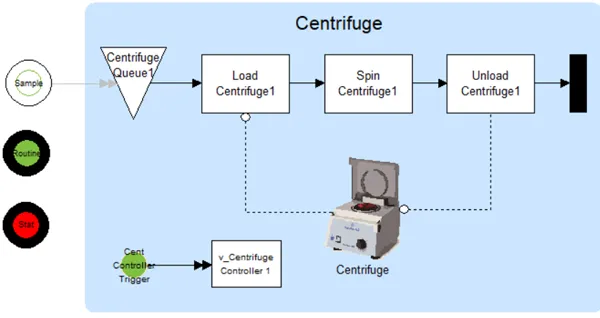
Use this Model Object when you need to represent the behavior of a manual centrifuge or multiple centrifuges. There can be one or more centrifuges automatically alternating cycles. The centrifuges can have Stat and Routine samples. The Stat samples process first. The system can have a dwell time, requiring the centrifuge to run if a specified time has elapsed, even if the full batch size isn’t complete
Where to Find the Model Object
Section titled “Where to Find the Model Object”The following model object can be found in the model objects directory:
- Batching - Manual Centrifuge
Difficulty Level
Section titled “Difficulty Level”- Ease of Use: Easy
- Ease of Modification: Moderate
How to Use the Model Object
Section titled “How to Use the Model Object”-
Open Your Model: Open your model or create a new blank model.
-
Insert the Model Object into Your Model: Locate the model object Manual Centrifuge and select the insert button.
-
Move the cursor to the point of insertion and left mouse-click. The upper left corner of the model object will be inserted at the location of the mouse-click.
-
Connect to Your Model:
-
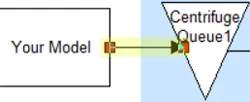
**Connect **entity arrivals from your model to Centrifuge Queue1.
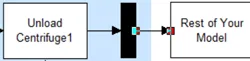
- Create a percentage route from the Black Box to the rest of your model.
- Define Values:
**Define **the name of the entities going to Centrifuge Queue1 to be named **Stat **or Routine.
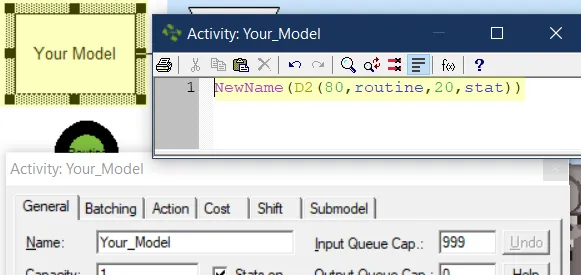
This is just an example, you may have a different way of naming entities to Stat or Routine
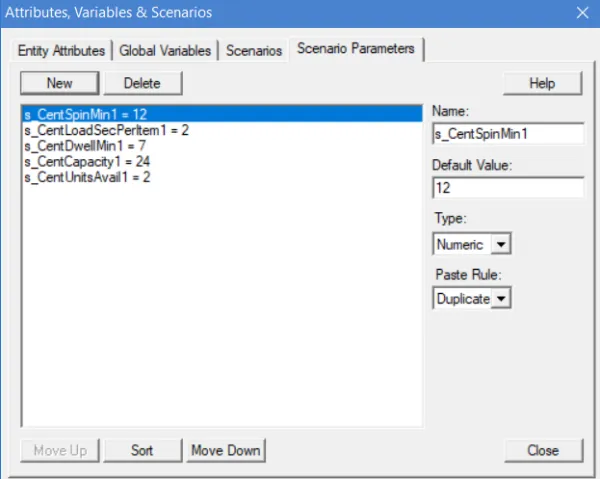
- **Define **the values for scenario parameters starting with **s_Cent **based on the information provided under the heading Scenario Parameters below. The values for these Scenario Parameters must be provided to each entity before the simulation start.
- Completion: The model object is now integrated into your model, you should now be able to save and then simulate the model.
Controls Usage
Section titled “Controls Usage”Attributes:
Section titled “Attributes:”- a_CentBatchSize: Do not change. The batch size is transferred to each entity and is used in the Load Centrifuge activity.
- a_CentTimeIn: Do not change. Captures the time when a sample is placed in the centrifuge queue.
Variables:
Section titled “Variables:”-
v_CentLoadsInProcess1: Do not change. Tracks the number of batches in process.
-
v_CentSamplesStat1: Do not change. How many Stat samples are held in the Centrifuge queue.
-
v_CentSamplesRout1: Do not change. How many Routine samples are held in the Centrifuge queue.
-
v_CentTempBatchSize1: Do not change. A review is made in the centrifuge controller and this variable transfers quantity to be batched to the centrifuge queue and is transferred to a_CentBatchSize.
-
v_CentTempStat1: Do not change. Transfers the quantity of stat samples from the controller to the Centrifuge queue.
-
v_CentTempRout1: Do not change. Transfers the quantity of routine samples from the controller to the Centrifuge queue.
Scenario Parameters:
Section titled “Scenario Parameters:”-
s_CentSpinMin1: User input required. Allows user input of how long the centrifuge spins (including spin slow down).
-
s_CentLoadSecPerItem1: User input required. Allows user input of how many seconds to load or unload a sample in the centrifuge.
-
s_CentDwellMin1: User input required. Allows user input of how long to hold a group of samples is if the batch size is not reached.
-
s_CentCapacity1: User input required. Allows user input of the number of samples the centrifuge can hold.
-
s_CentUnitsAvail1: User input required. Allows users input of the number of centrifuge units available.
Advanced Topic
Section titled “Advanced Topic”What if I have two or more centrifuges?
Section titled “What if I have two or more centrifuges?”Change the scenario parameter “s_CentUnitsAvail1” to represent the number of centrifuges.
What if I use a separate centrifuge for Stat and another for Routine samples?
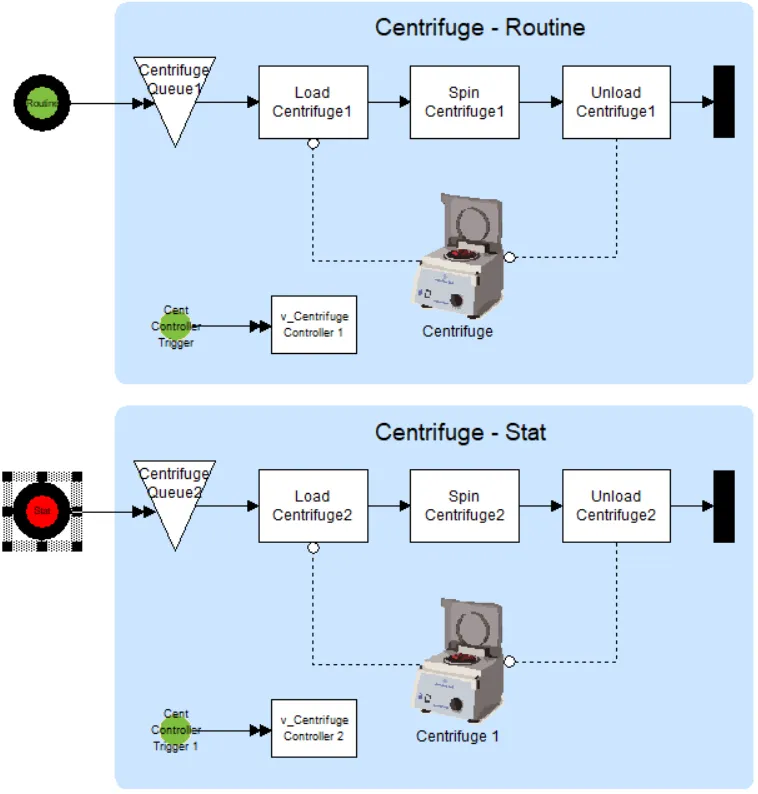
Section titled “What if I use a separate centrifuge for Stat and another for Routine samples?”- Insert Manual Centrifuge model object a second time.
- Use the automatically created second set of scenario parameters to set the operating parameters of the second centrifuge.
- Send routine samples to the first centrifuge and stat samples to the second.