

Routing
A route is a connection you draw from one node to the next. It carries entities along and defines how and when they move. You set it up on the route’s General tab.
The General tab
Section titled “The General tab”- Route type: the dropdown at the top of the panel sets how the route behaves (see the list below). New routes start as Percent, or inherit the type of an existing route from the same source.
- Move Time: how long the move takes, with a seconds / minutes / hours unit. Any expression is valid; the default is
0. - New name: optionally rename the entity as it takes the route. It keeps its attributes and picks up the new graphic. Available on Percent, Conditional, Renege, and Round Robin routes.
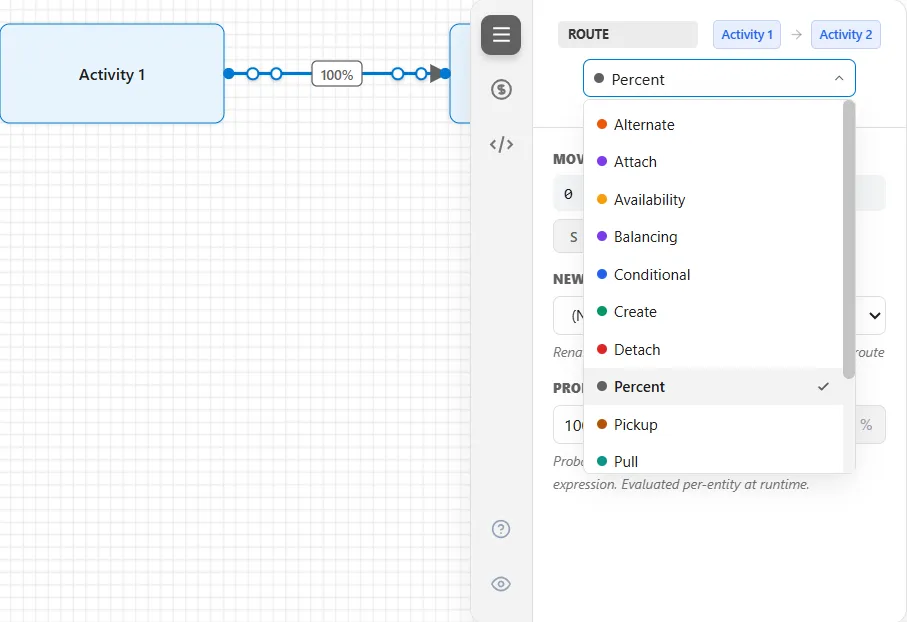
Beyond General, every route shares the same Cost, Logic (which holds action logic), and Seed tabs. The Seed tab is hidden until you switch it on with the eye icon at the foot of the tab strip. See Cost, Logic, and Seed.
Route types
Section titled “Route types”Pick a route type to match the behavior you need:
- Conditional: branch on a condition or attribute
- Percentage: split by probability
- Alternate: a backup used when the primary is blocked
- Create: spawn child entities
- Detach: separate children from a parent
- Attach: rejoin children to a parent
- Pickup: a parent collects matching entities
- Renege: remove entities that have waited too long
For load-based and time-based flow, ProcessModel also offers these advanced route types:
- Pull: the destination pulls entities by a queue discipline
- Round Robin: rotate entities across destinations in turn
- Balancing: send to the destination with the lightest load
- Availability: route only where there is capacity right now
- Schedule: route by time of day or a shift schedule
Transition points
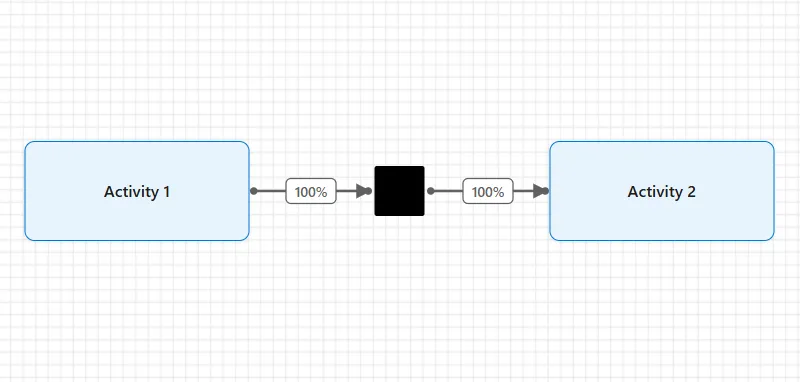
Section titled “Transition points”A transition point is a small routing vertex you drop where two different kinds of route meet, for example where conditional routes come in and an attach route leaves. It is drawn as a small solid black square on the line, and it is a junction only: it holds nothing, takes no time, has no capacity, and collects no statistics, so it never appears in the results.
Drag it onto the canvas from the Advanced Nodes flyout of the shape palette (the last button, a double chevron), then wire your routes to it. To remove one, select it and delete it; there is nothing else to set.
Off-page connectors
Section titled “Off-page connectors”On a long or busy diagram, a route that runs clear across the page can be shown as a pair of short stubs instead of one line. Right-click the route and choose Create Connector: the line becomes two stubs, one at each end, each tagged with the same lettered bubble, an A near the source and a matching A near the target, so you can see they are the two ends of one route. Right-click either stub and choose Restore full route to draw the whole line again.
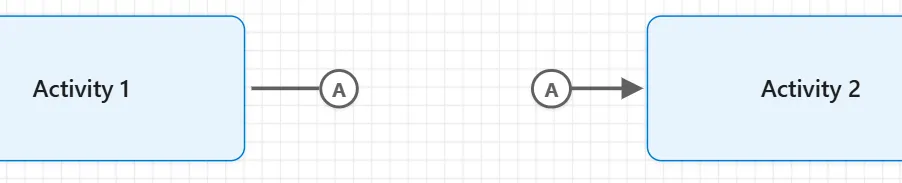
Each connector gets its own letter, so a second one is B, a third C, and so on. This works on the process routes between activities, and it changes only how the route is drawn, never how entities flow.
Bending a route by hand
Section titled “Bending a route by hand”Select a route, or point at it, and a small = handle shows in the middle of each straight run that lies between two bends. That includes a route the automatic router drew with two bends. Drag a handle sideways and the whole run moves with it: every corner stays square, and a blue line previews where the run will land. Double-click a handle to take that run’s bend away.
Moving a shape at either end of a route takes all of its bends away. A straight route and a route with a single bend show no handle, and a route drawn as an off-page connector takes no bends.
Looking for how the lines are drawn?
Section titled “Looking for how the lines are drawn?”Everything above is about where entities go. If what you want is how the connecting lines look on the canvas, their corners, their spacing and whether they route themselves around your shapes, that is Routing settings, on the Arrange menu.
LegacyHow this worked in the previous version
Routings, the connectors between activities (and storages), define the direction and conditions for entity flow. In addition, an “activity” or “storage” may have multiple input and output routing connections. Entities do not move to the next activity or storage until capacity becomes available and the condition or rule for routing has been satisfied.
The General properties tab allows you to select the type of routing and set certain information specific to that type of routing. Finally, a common explanation follows for the remaining dialog tabs.
Basics 5 - The Logic of the Flow video tutorial
Common Properties Tabs
Section titled “Common Properties Tabs”ProcessModel allows you to assign a cost to the routing of an entity from one activity or storage to the other. The cost is added to the pre-defined Cost attribute of the entity in the model after the move is completed.
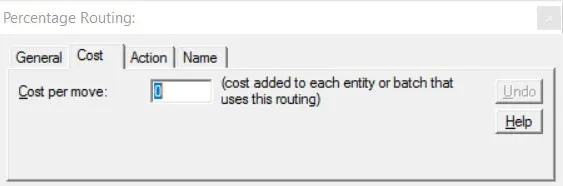
All routing connections have a cost tab in their properties dialog. The identification of cost is optional and has no effect on the behavior of the model.
Cost per move The amount added to each entity after completing a particular routing. This cost (negative 1,000,000 to 1,000,000) adds to the pre-defined Cost attribute of the entity.
- To learn more about costs, see ProcessModel and Activity-based Costing.
Action
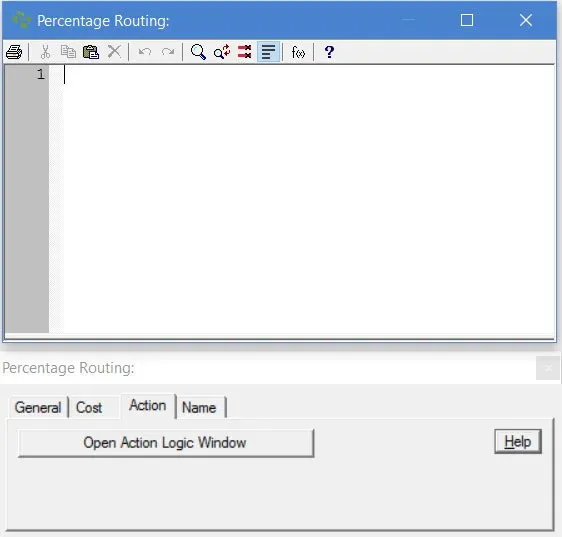
Section titled “Action”Develop customized behavior for entities that follow this route. In addition to the information set in the General tab, Action Logic extends routing capability. For example, action logic allows reporting of custom statistics, additional control on movement, resource selection, etc.
A routing’s Action Logic starts after securing capacity at the destination, meeting the condition of the routing, and (if needed) acquiring the resource. After the action logic completes, the routing move begins.
The linkage tab (shown below) allows you to define connection names used when you are creating hierarchical models. For more information, see Hierarchical Modeling.
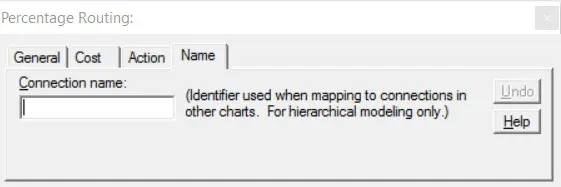
Connection name maps connections into and out of the activity representing the submodel. A link going into this activity will route the entity to a like-named link in the submodel. Likewise, a link from this activity receives entities from the submodel’s like-named link.
Routing Types
Section titled “Routing Types”The following routing types are available: