

The Expression Builder
The Expression Builder helps you write the time and distribution expressions that drive your model, such as an activity’s processing time or a route’s move time. Open it from any time field and it builds a valid expression for you, so you do not have to remember the syntax. It has three tabs.
Fit data to distribution
Section titled “Fit data to distribution”Have real timing data? Paste or import it, one number per line, and choose
Analyze. The Expression Builder fits more than twenty distributions to your
data, ranks them by how well each one fits, and hands you the best-fit
expression, for example Weibull(4.732, 22.293).
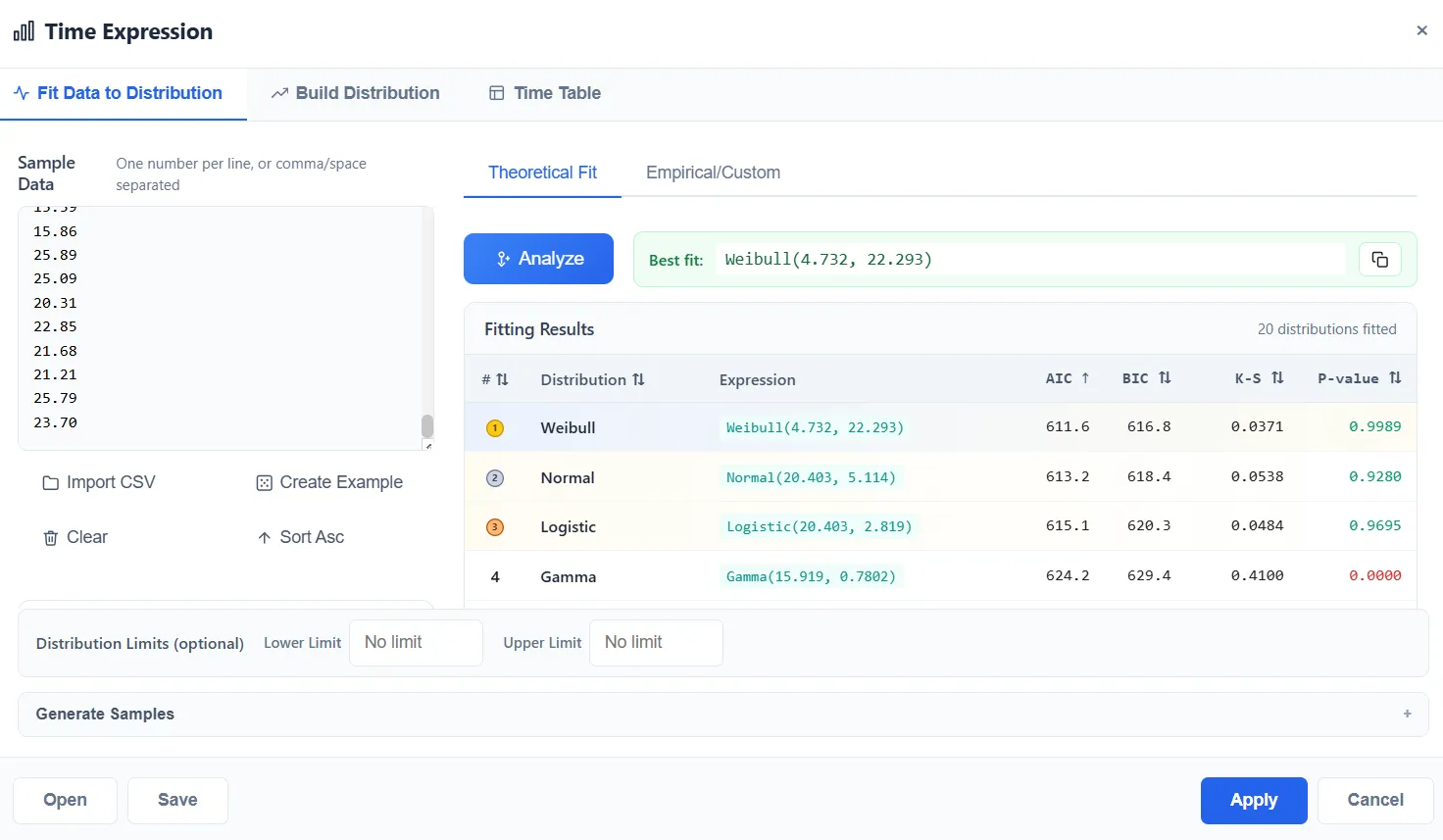
Earlier versions bundled a separate tool called Stat::Fit for this. ProcessModel now has its own built-in fitting, so nothing extra is needed.
Build distribution
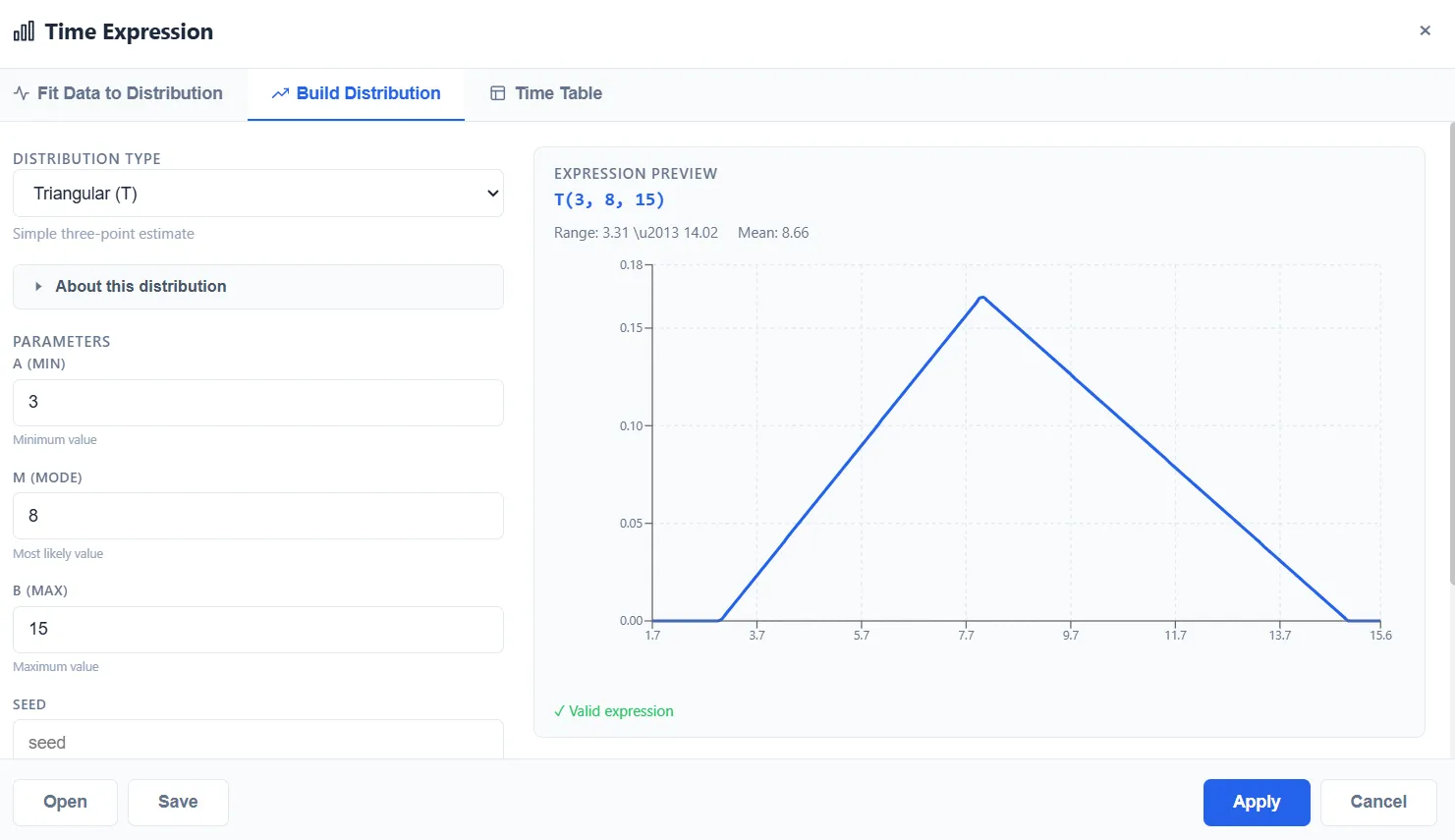
Section titled “Build distribution”No data yet? Pick a distribution type and enter its parameters. The Expression
Builder shows a live preview of the expression and its shape as you type, for
example T(3, 8, 15) for a triangular distribution. You can also set lower and
upper limits so sampled values stay within a range.
Time table
Section titled “Time table”Use a time table when the value changes by time of day or shift, such as a service time that is shorter in the morning and longer in the afternoon. The expression then evaluates against the simulation clock as the model runs.
Applying and reusing
Section titled “Applying and reusing”Choose Apply to validate the expression and drop it into the field. You can Save a distribution you built or fitted and Open it again later, and you can generate a sample of values to check the shape before you commit to it.