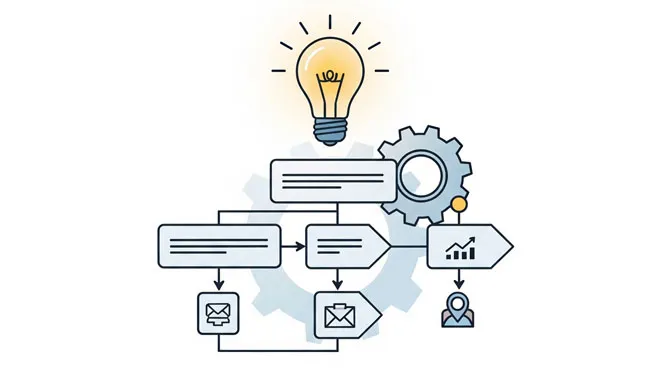
Analyzing and optimizing existing business processes to raise efficiency, cut costs, and improve quality is what we call process improvement. It is a crucial part of any organization that wants to stay competitive and adapt as circumstances change. The work involves identifying the areas that need optimization, analyzing the causes of inefficiency, and making changes that eliminate or reduce them.
To do that well, organizations need process improvement tools built to make the work more effective and efficient. A good tool should be easy to use, flexible, and able to capture data and information about the process under analysis. It should also offer a range of data analysis and visualization features that help you see where the improvement opportunities are.
Ten questions to answer before buying any process improvement tool
Can it handle my process problem?
Not all process improvement tools are alike. Each has particular strengths. Do not be lulled into a false sense of security by an overview or a canned demo. The vendor will show what comes easily, which may or may not match what you need. Make a list of the major types of problems you want to cover and have the vendor show you exactly how each one gets addressed.

Ask the right questions to find out whether the tool fits your specific problems:
- Can it handle the complexity of my current processes? Provide examples of similar processes the tool has successfully improved.
- Can it integrate with my existing systems and tools? Will I be able to import raw data from other sources?
- Can it adapt to changes in my processes over time, such as new process steps, data sources, or requirements?
Those answers give you a much clearer read on whether a tool is the right fit for your organization and can genuinely handle your process problems.
How easy is it to learn and use?
You are already busy, or you would not have a job in process improvement. Ask specifically what has been built to help you learn the software and become productive quickly. It is not more features that make a tool easy to use, but features designed to solve the problems. Ease of learning matters for a few key reasons:
- Time and cost efficiency. A tool that is hard to use demands significant training and support before people can use it well. That is slow and costly, and it delays the improvements while undermining the tool’s value.
- Increased adoption. A tool that is friendly and easy to learn is far more likely to be adopted and folded into regular workflows, which helps ensure the improvements actually get implemented.
- Long-term use. Process improvement is ongoing, and a tool that is easy to learn and use is more likely to be used consistently over time, so the organization keeps finding and fixing opportunities.
A tool that is easy to learn and use is essential to a successful effort. It supports more efficient use of time and resources, greater adoption, and long-term use, all of which add up to a more effective and sustainable program.
Does it require training?
Training is seldom needed for the basics of any system. Online tutorials and thorough manuals make getting started simple. The catch is that real processes are usually complex and call for combinations of features to model accurately. The real answer is to put your people in front of a mentor with deep process improvement experience. Training is a minor expense next to the benefit you stand to gain.
What will ongoing maintenance and support cost?
There are three common support models: pay per incident, a yearly fee, and free. Some customers have reported support fees that exceeded the original cost of the software. You will almost certainly want access to knowledgeable people who understand how the software works, so understand the real costs before you buy.
How will I be supported after the sale?
Some companies outsource technical support overseas. Others hire part-time college students who learn on the job answering questions. Talk with the actual people who will help you after the sale. Get a feel for their expertise and their willingness to assist, and find out how far they will go to help you solve problems.
Can it be deployed quickly?
Does the product live on a server, or can it be deployed at the desktop level? Desktop installs require less internal evaluation, less approval time, less IT intervention, and less installation time.
Will it show the performance of planned systems?
Many tools show what is happening in the real system today but fall painfully short at predicting what a proposed system will do. The complexity, interdependence, and randomness of real systems make them difficult, if not impossible, to predict accurately without simulation.
Will it optimize the process?
A study of 250 processes revealed a shocking 71% of the potential was left undiscovered because people ran out of time at the analysis stage. That gap equates to hundreds of thousands of dollars in lost savings. It was not that the models were poor, only that the teams never took the time to explore every possible change. That is understandable, because exploring all the permutations of even a medium-sized model could take hundreds of thousands of experiments. Optimization modifies the model dynamically and hunts for the best combinations. It can find things you would never think to look at, saving hundreds of hours and surfacing hidden dollars.
Will it reduce the time to communicate complex issues?
The complex world we work in is hard to describe to others. A good tool helps you explain that complexity without overwhelming the user. Simple animations build understanding. A picture is worth a thousand words, and a simple animation is worth tens of thousands. Look for something that helps you communicate for understanding and sell your ideas.
Is there education to match the tool?
Look at the training materials to gauge the level of support you can expect after the purchase. Professional, clear materials are a sign that the after-purchase support matches the flashy sales presentation that first caught your interest.
How will the tool mesh with other methodologies?
Some tools require a special methodology. If you are not familiar with it, expect additional training. Be wary, too, of a tool that leans on a single average number to stand in for a wide range of variation, because that is where accuracy quietly slips away. In one comparison, some models showed greater than 15% improvement once the variation was modeled properly rather than averaged out.
Ask these questions before you buy and you will choose a tool that fits your problems, your people, and your budget rather than the vendor’s demo reel. For more on getting results once the tool is in hand, see simple ways to improve business processes, or compare plans and pricing.