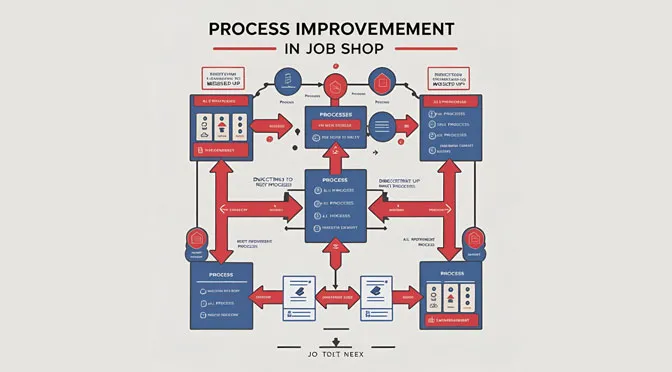
ProcessModel includes a specialized model object that reduces the time required to build a simulation to a fraction of traditional methods. Because it lets you import new data in seconds, it changes how manufacturers approach process improvement.
The complexity of job shop flow
A job shop is a production facility where a shared population of machines produces many different types of parts. Unlike a linear assembly line, each unique batch of parts may take a different path through the facility.
For instance, a typical flow might look like this:
-
Batch 1: Machine 1 to Machine 2 to Machine 5 to Machine 7 to Machine 12
-
Batch 2: Machine 3 to Machine 2 to Machine 4 to Machine 9 to Machine 5 to Machine 11
-
Batch 3: Machine 1 to Machine 6 to Machine 8 to Machine 10
As a result, hundreds or even thousands of possible flows exist. Identifying where work gets stuck in such a dynamic environment takes real bottleneck analysis.
Parallels with healthcare patient flow
The description above is strikingly similar to the flow of patients through a hospital. Just like a manufactured part, a patient follows a unique path through a series of departments:
-
Patient 1: ER to ICU to Step Down to Observation to Discharge
-
Patient 2: Surgery to Observation to Discharge
-
Patient 3: ER to Observation to Surgery to Observation to Discharge
A whole host of complex problems follow this “job shop” concept of flow. Historically, there have not been many simulations of these facilities, because building the model was viewed as too difficult. For a healthcare-specific example, see how to reduce emergency room waiting time.
Why is bottleneck analysis difficult in job shops?
At first you might assume you have to manually describe thousands of flows to develop a simulation.
That is a common misconception. Developing a model for a job shop is simple, and you can often implement it in hours. You can import real data to show daily or weekly production, and you can introduce new parts, with new flows and production times, without making structural changes to the model.
Ultimately, you only need to change the input file that defines the routing sequence and the production time at each step.
Visualizing the system with process simulation
Process simulation lets you observe the system over a long period. That gives you an overview of the bottlenecks for the entire facility, rather than just one station.
Here, we care less about optimizing the flow of a single part and more about optimizing the system to handle typical production. Simulation fits this perfectly, because the software compresses weeks of production into seconds. That lets you see exactly which changes will yield real process improvement.
How the job shop model object works
The job shop model object performs three main functions to simplify your analysis:
-
Template construction. It provides a structure for building a job shop model. We pre-built the logic to read imported data that drives routing and production times.
-
Automated routing. The object reads your data to list and import the location names that route parts to machines or departments. These names act as descriptors in the attributes that define the routing sequence.
-
Predictive patterns. The object analyzes past production flows to create predictive patterns. It reads historical data to show what could happen in the future, accounting for variability in order quantity and routing.
Future-proofing your production
This approach lets you introduce new business scenarios. For example, a 10% increase in orders can be simulated instantly to determine where you would need the most capacity to meet it.
Process improvement for a job shop just became a lot easier. With the latest ProcessModel, getting data into these models is faster than ever. This model object helps you quickly stand up a process digital twin of your facility and analyze your production flow for in-depth bottleneck analysis. Want to see it on your own line? Start a free trial or browse our projects.