Process simulation is a powerful way to increase vehicle production by exposing bottlenecks and inefficiencies in the production process. By building a virtual model of the line, manufacturers can try different scenarios and see how each change affects the overall efficiency and output, all before touching the real system.
This kind of modeling is especially valuable for lines that build products with many options, such as Daimler Trucks. The problem is genuinely hard, because each station’s time can change dramatically depending on the subassembly options a given vehicle carries.
Test changes virtually
A central benefit of process simulation is that you can test and tune the production process without altering the physical line. Because every experiment happens in the virtual system, you can try different scenarios and measure their impact with no risk of downtime or lost output.
For example, a manufacturer might use simulation to see how adding a production step, or changing the line layout, would affect overall efficiency. Once the bottlenecks and inefficiencies are visible, targeted changes become much easier to identify.
Run multiple experiments
Simulation also lets manufacturers run many experiments and compare the results to find the best path forward. Different layouts, added or removed steps, and alternative sequencing can all be tested side by side.
This is just as useful across a mixed product range. By comparing results, a manufacturer can identify the production process that works best for each type of vehicle and adjust accordingly. The ability to experiment freely and compare outcomes is one of the most important advantages simulation offers, because it points to the best course of action and the targeted changes that will lift efficiency and output.
Understand the process
Simulation helps manufacturers see the interactions between different parts of the line. With a model of the entire process in hand, you can watch how a change to one step ripples into others and make adjustments that improve overall efficiency.
It also clarifies the impact of external factors. Shifts in market demand or supply chain disruptions can be modeled, so the team can see the effect and adjust the process to respond more effectively.
Better resource management
Process simulation can predict the resources a specific task or stage in the production flow will need. By simulating the whole process, a manufacturer can see the resource required at each step and accurately predict, for example, the total number of workers needed for a particular assembly task.
The same applies across vehicle types. Because the process differs from one vehicle to the next, the model can produce accurate resource estimates for each, rather than relying on a single average that fits none of them well.
Optimize the production lineup
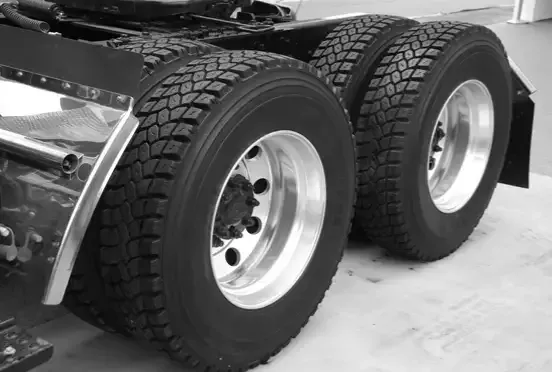
With a simulation of the process, manufacturers can evaluate scenarios and find the most efficient way to build vehicles. At Daimler, production order was critical to achieving the highest throughput. Many trucks were unique, with 2, 3, 4, or 5 axles, and some axles received power. The complexity grew because no two days had the same production schedule. Simulation provided a way to optimize the schedule for the best output.
Final thoughts
Process simulation helps manufacturers increase vehicle production by exposing bottlenecks and inefficiencies, by testing and optimizing the process safely, and by clarifying how external factors affect output. Used well, it points to the targeted changes that raise the overall efficiency and output of a production line. To see how it works in practice, explore what ProcessModel does.